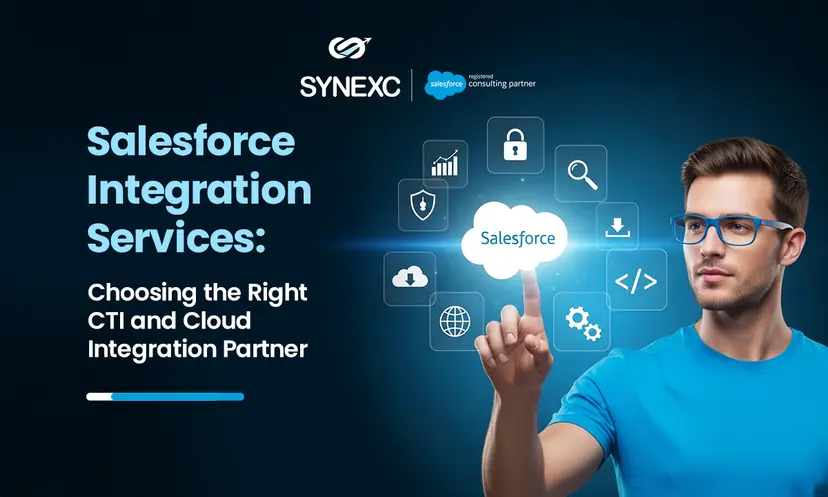
A guide to choosing the right partner for Salesforce CTI and cloud integration built for real results.
When we say Salesforce integration, most people imagine data moving from one system to another. But that’s only one side of the picture.
What we’re really trying to do is help your teams work better, faster support calls, more accurate reporting, and smarter campaigns. That’s why it matters who you choose to handle the integration.
Whether it’s Salesforce Service Cloud CTI integration or connecting Salesforce to tools like AWS, SAP, or your internal reporting platforms, the same question always comes up:
What kind of integration do we actually need, and how do we make sure it works the way our people work?
In this blog, we’ll walk through these questions and explore how the right Salesforce integration service provider can unlock the real value.
CTI vs. Cloud: Which one to choose?
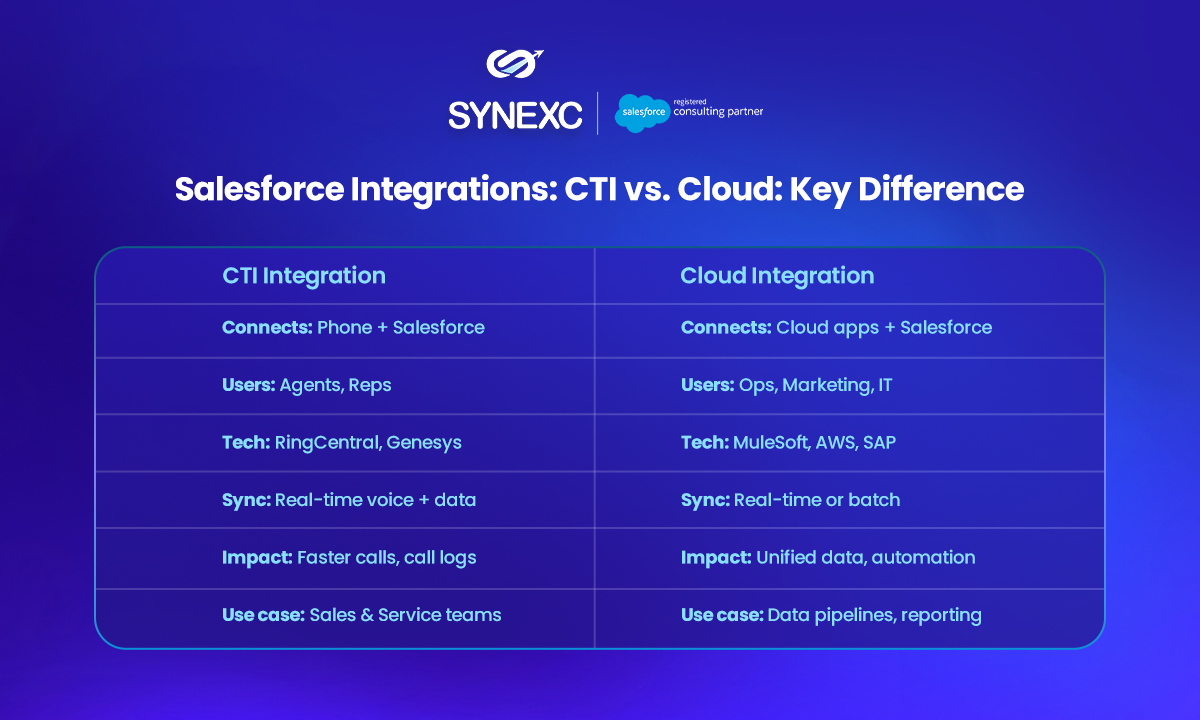
CTI and cloud integrations often get grouped under the same umbrella, Salesforce integration services, but they solve very different problems.
Let’s break down these services for you:
What is CTI
Computer Telephony Integration(CTI) is about real-time service. A customer calls, and the agent sees who’s calling, their history, and any open cases or tickets.
Everything from screen pop to call logging happens within Salesforce Service Cloud. The aim is to reduce time on the call, improve resolution, and cut down manual entry.
What’s Cloud Integration
Cloud integration, on the other hand, is about moving data between Salesforce and other platforms, such as marketing tools, ERP systems, databases, and finance tools.
These integrations are often less visible but critical for ensuring data is synced, campaigns fire properly, and dashboards reflect accurate metrics.
If you don’t clearly define what you’re trying to solve, whether it’s agent efficiency, faster quoting, or cleaner marketing data, you risk building integrations that technically work but don’t help your team.
Why CTI and Cloud Integrations Don’t Always Deliver
Despite having access to connectors, APIs, and Salesforce-native tools, many integrations fail to meet business expectations.
The most common reason is that it is treated as a tech build rather than a service and process enhancement.
In CTI integrations, the experience might look complete on the surface. A softphone is embedded. Calls connect. But if logs aren’t automatically attached to records or wrap-up notes require several clicks, agents either skip steps or create their own shortcuts.
Over time, this erodes trust in the system and eventually adoption.
Cloud integrations can be even more deceptive. They often break silently.
- Sync jobs fail
- Field mappings get out of alignment,
- Timing creates discrepancies between what’s shown in Salesforce and what’s true in other systems.
The result is inaccurate reporting, delayed campaigns, or sales teams quoting outdated pricing, all because of invisible sync issues.
According to Salesforce’s 2024 Service Trends report, while 83% of service professionals believe unified visibility is essential, less than half say they actually have it.
That’s the integration gap right there.
Why Integration Design Matters More Than Tools
The success of any Salesforce integration, whether it’s CTI or cloud-based, depends on how well it reflects your operational reality.
In CTI projects, the integration should support what agents actually do:
- identify the caller.
- access relevant records instantly
- handle the issue without toggling tabs, and
- log the interaction without extra steps
Managers should be able to view live call data and performance metrics without depending on manual exports.
When cloud syncs break, the impact might not be immediately visible but the business suffers quietly. That’s why sync logic, timing, retry handling, and error alerts matter just as much as the system-to-system connection itself.
A reliable cloud integration will see these through and
- Show the right data at the right time
- Won’t overwrite or lose critical updates
- Account for upstream and downstream dependencies
- Surface failures before they impact reports, users, or customers
What to Look for in a Salesforce Integration Consulting Service
Many implementation partners know how to build integrations. But only a few take the time to understand what those integrations are supposed to improve.
A strong Salesforce integration consulting service starts by mapping your use cases, not just your systems.
It looks at how your teams actually work, where the friction is, and how integration can simplify that experience. It also balances technical complexity with operational simplicity, so your setup doesn’t break under real-world usage.
When evaluating a partner, it’s ideal to look for someone who:
- Understands both CTI platforms (e.g., Genesys, Amazon Connect, RingCentral) and cloud ecosystems (e.g., SAP, MuleSoft, NetSuite, AWS)
- Prioritizes business impact over technical features
- Builds in-sync monitoring and failure alerts
- Aligns integration logic to key workflows and timing needs
- Has specific experience with Salesforce Service Cloud CTI integration
Benefits Observed When Integration Works
You know a Salesforce integration is working when teams stop asking about it. There’s no daily troubleshooting, no questioning of data accuracy, and no workarounds. Instead, people just trust the system.
In a good CTI setup:
- Agents see full context as soon as the call comes in
- Calls are logged without manual input
- Call wrap-up is fast and fully captured.
- Supervisors can view queue performance in real time
In a healthy cloud integration:
- Marketing runs on clean, up-to-date lead data
- Sales and support work from the same customer record
- Dashboards reflect real-time operational status
- Finance, fulfillment, and support are all in sync without chasing data
Conclusion
Whether you’re connecting CTI tools to Service Cloud or syncing Salesforce with your wider cloud ecosystem, the success of your integration hinges on the questions asked upfront—and the partner you choose to build it.
- Who is this integration helping?
- What part of the process does it improve?
- What happens if it breaks—and who knows when it does?
- Is the partner thinking about scale, support, and change?
Looking for a reliable Salesforce integration partner? Connect with Synexc to get started!
About the Author
Sambhav Arora is a 7X Certified Salesforce Consultant and CEO at Synexc, helping organizations unlock practical value from Salesforce with scalable, production-ready AI strategies
Faqs
Q1. What’s the difference between CTI and cloud integration?
CTI connects phone systems to Salesforce for real-time support; cloud integration syncs Salesforce with other business platforms like SAP or HubSpot.
Q2. How long does CTI integration take?
Typically, 3–6 weeks, depending on your systems and level of customization.
Q3. Can Synexc support both CTI and cloud integrations?
Yes. Synexc offers end-to-end Salesforce integration services, covering CTI tools like Amazon Connect, RingCentral, and Genesys, as well as cloud platforms like SAP, NetSuite, MuleSoft, and custom APIs.